
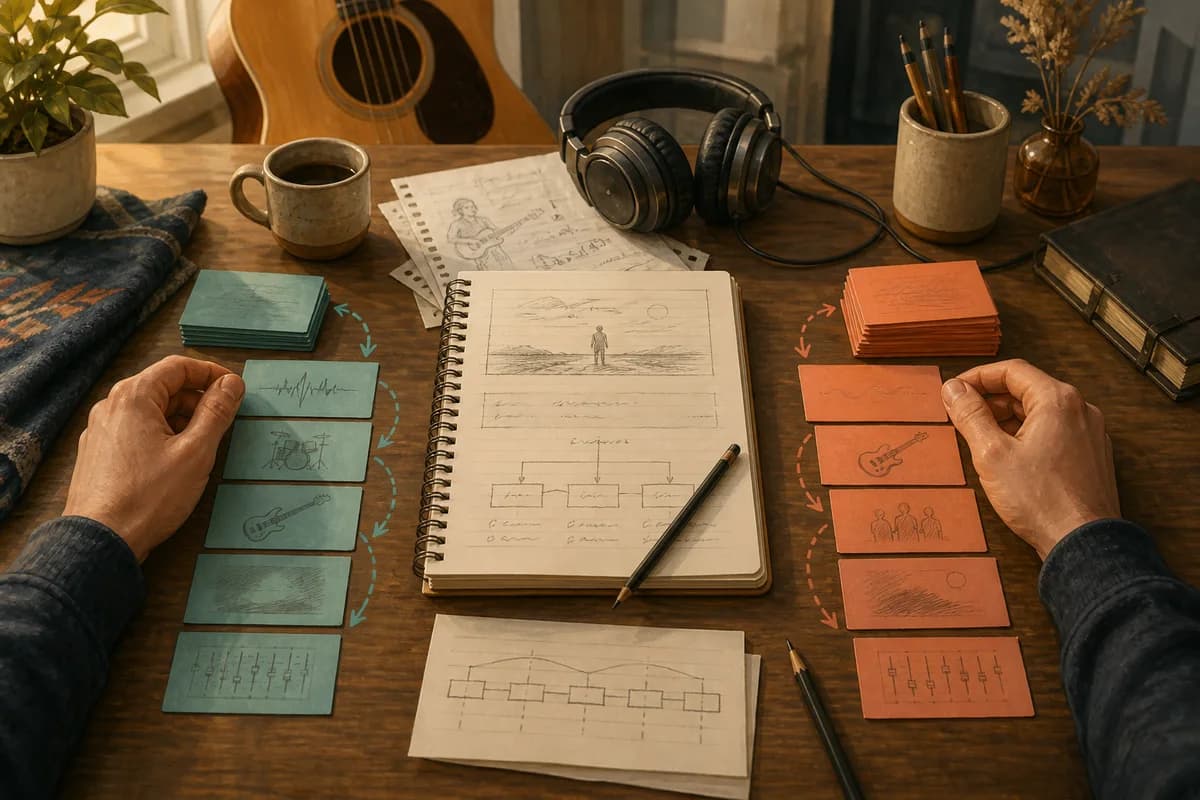
Suno and Udio can both turn a written idea into a generated track, but the best workflow is not a feature checklist. Start with one platform-neutral song brief, keep the emotional centre and structure steady, then adapt the handoff to each tool. Change one variable at a time and keep the versions you learn from. That gives you a fairer comparison and a much clearer song.
The planning decision comes before the platform
Start with the song job
Write one sentence that says what the song needs to do. “A restrained night-drive song about choosing to leave” is more useful than “make something cool”. Add the listener, the emotional temperature, the point of view and the moment you want the chorus to create. This sentence is your control. It should survive a move from Suno to Udio without needing to be rewritten.
Separate fixed decisions from experiments
Keep the decisions that define the song in one place: the narrator, the central image, the lyric language, the section order and the energy arc. Put experiments beside them, not inside them. You might test a dry vocal against a wide vocal, acoustic guitar against a muted synth, or a late bridge against no bridge. If the brief changes at the same time as the prompt, you will not know what caused the result.
What stays the same across Suno and Udio
Brief, structure and lyric intent
Both workflows benefit from a clear description of mood, genre, instrumentation, tempo and theme. Both also give you a choice about where the words come from: you can start from a description, or bring your own lyrics when the lyric is already the part you want to protect. The tool may interpret the request differently, but your underlying creative decision does not need to move.
Version and review notes
For every generation, keep the prompt, lyric version, platform, date and one sentence about what you were testing. Name the useful result, not just the file. “Harbour Lights — Udio pass 03 — softer pre-chorus” tells you why it exists. A short note such as “the mood is right, but the chorus arrives too early” is enough to make the next pass deliberate.
The AI songwriting workflow from brief to clean export shows the wider sequence: brief the idea, shape the structure, review what comes back and prepare a clean handoff. The comparison between Suno and Udio belongs inside that sequence, not above it.
Where Suno’s current workflow asks for decisions
Choose the simplest useful starting point
Suno’s official help currently describes Simple Mode as a place to write a description of what you want to hear, with examples that combine a subject and a style. It also notes that you can deepen the description with genre, instrumentation and song-structure ideas. Read the Suno Simple Mode guide before publishing this article because interfaces and options can change.
Decide when the lyric needs to be yours
When the lyric is central to the experiment, move from a broad description to a controlled lyric handoff. Suno’s current help explains that Custom mode lets you provide your own lyrics. That means your planning question can be precise: are you testing the words, or are you testing how a chosen style carries words you already wrote? The Suno guide to using your own lyrics is the current reference for that choice.
A useful Suno pass might therefore hold the lyric and song job steady while you change one style direction. Keep the result that answers the question, even if it is not the most polished take. It may teach you more than a lucky generation that cannot be repeated.
Where Udio’s current workflow asks for decisions
Use the prompt as a compact creative brief
Udio’s official Prompt Like a Master guide currently describes a prompt as a song description that can combine topic or free-form text with genre or tags. It also suggests thinking about mood, genre, tempo, instruments and theme before writing. That is a useful reminder to make the planning decision first, then choose the smallest set of words that carries it.
Use lyrics and guidance deliberately
Udio’s own-lyrics guide describes both generated lyrics from a song description and a Custom path for typing or pasting your own lyrics. Its prompt guidance also documents tags and a Manual Mode for more exact control. Treat those as different experiments. If you change the lyric source, structure tags and production direction together, the comparison becomes noisy.
A practical Udio pass might keep the story and lyric fixed, then compare two concise prompt versions: one that names the feel and instruments in plain language, and one that uses a smaller set of exact tags. Record which decision you were trying to make before you listen.
A repeatable Suno vs Udio workflow
1. Write the neutral brief
Capture the song’s job, narrator, emotional centre, section map, lyric status and production constraints without naming Suno or Udio. Include what success sounds like in plain language: “the second chorus should feel wider, but the vocal should remain close”.
2. Prepare two platform handoffs
Create a Suno handoff and a Udio handoff from the same brief. Keep the lyric and section labels identical where possible. Note the platform-specific choice you are making, such as Simple versus Custom in Suno or free-form prompt versus more exact tags in Udio. Do not copy every available option into the first pass.
3. Change one variable
Run a small test. Change the production direction, not the story. Or change the chorus instruction, not the instrument list. Two or three focused passes teach you more than ten generations with moving targets. Give each pass a name before you generate it so the result has somewhere to go.
4. Keep a useful record
Save the prompt, lyrics, platform, date, version name and decision note together. Keep an honest “not yet” list as well: a take can have the right energy but the wrong point of view. The record prevents you from returning to a tempting result without remembering why you left it.
Example: one song, two planning passes
Imagine a song called “Harbour Lights” about leaving a familiar town without turning the goodbye into a victory lap. The neutral brief says: intimate first verse, a chorus that opens by degrees, plain-spoken UK English, and a bridge that introduces one image from the harbour. The lyric is already written, so it stays fixed.
The Suno pass tests a broad style direction: restrained electronic pop, close vocal, muted drums, gradual lift. The Udio pass keeps the same brief but separates the topic, mood, tempo and instrument tags so the request is easy to adjust. If the Suno version finds the right emotional temperature and the Udio version gives you a clearer bridge shape, both have done useful work. You are not obliged to declare one platform the winner; you can choose the next experiment from the evidence.
For the project record, write “Suno pass 02: mood right, bridge vague” and “Udio pass 02: bridge clear, chorus too bright”. Those notes make the next prompt smaller and more intentional.
Choose without a feature score
Choose based on your next decision
Use Suno when its current path lets you answer the question in front of you with less friction. Use Udio when its current prompt and lyric controls help you isolate a different question. That is a workflow choice, not a permanent identity. The same songwriter can reasonably use both across different projects.
Choose based on the work you want to keep
The most valuable output is often not the generated audio. It is the clearer brief, the stronger lyric decision or the version note that tells you what to try next. If a tool gives you an interesting result but no way to explain or repeat the decision, keep the lesson and rebuild the pass in a form you can understand.
Use Kordra Music as the planning layer
Kordra Music is the available web workspace for planning, writing, reviewing and exporting AI-assisted projects for Suno or Udio. Use it to keep the neutral brief, structure, lyric decisions and handoff notes together before you open a generator. Start with Kordra Music when the next step is a clearer AI-assisted project rather than another unlabelled generation.
For the craft behind the handoff, use Kordra’s prompt-engineering knowledge hub and song Blueprints. The guide to organising a Suno AI discography is useful when the number of versions starts to grow. These are planning aids, not promises that Kordra replaces either generation platform.
The practical takeaway
A fair Suno vs Udio workflow begins before the prompt box. Write one neutral song brief, protect the decisions that define the song, adapt only the handoff details each platform needs, and change one variable at a time. Keep the prompt, lyric, version and decision note together. Then choose the next tool from the question you need to answer, not from a feature-score table. Platform behaviour changes, so follow the current official Suno and Udio references before publishing or relying on a time-sensitive detail.