Kordra StudiomacOS
 Kordra Studio
A home for
the whole song.
Lyrics, chords, rough takes and the version you keep coming back to. Together in a native Mac writing room, ready whenever you are.
£14.99 UK · $14.99 US · one-time Mac App Store purchase. Apple silicon; macOS 15 or later.
Follow the song
Start with a line.
See where it leads.
You do not need a finished idea to open Studio. Bring a fragment, a recording or a draft. The details can find their place as the song develops.
TEXT · AUDIO · CHORDS
Keep the thought before it disappears.
Start with a line, a voice memo, a chord change or a rough sketch. Studio gives it a place without asking you to name the whole song first.
01 / 06 · Studio workflow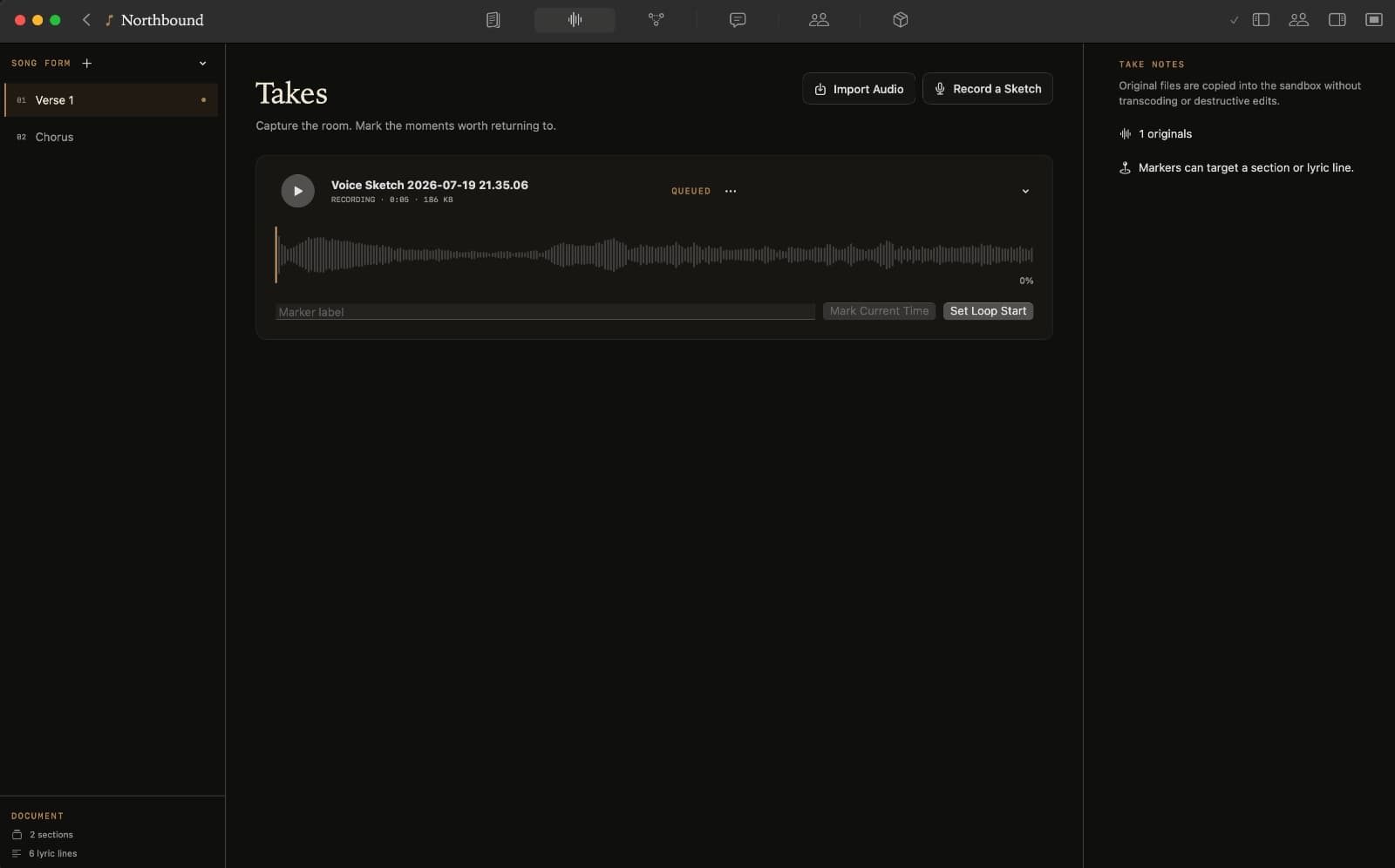
SECTIONS · LYRICS · CHORDS
Find the next line.
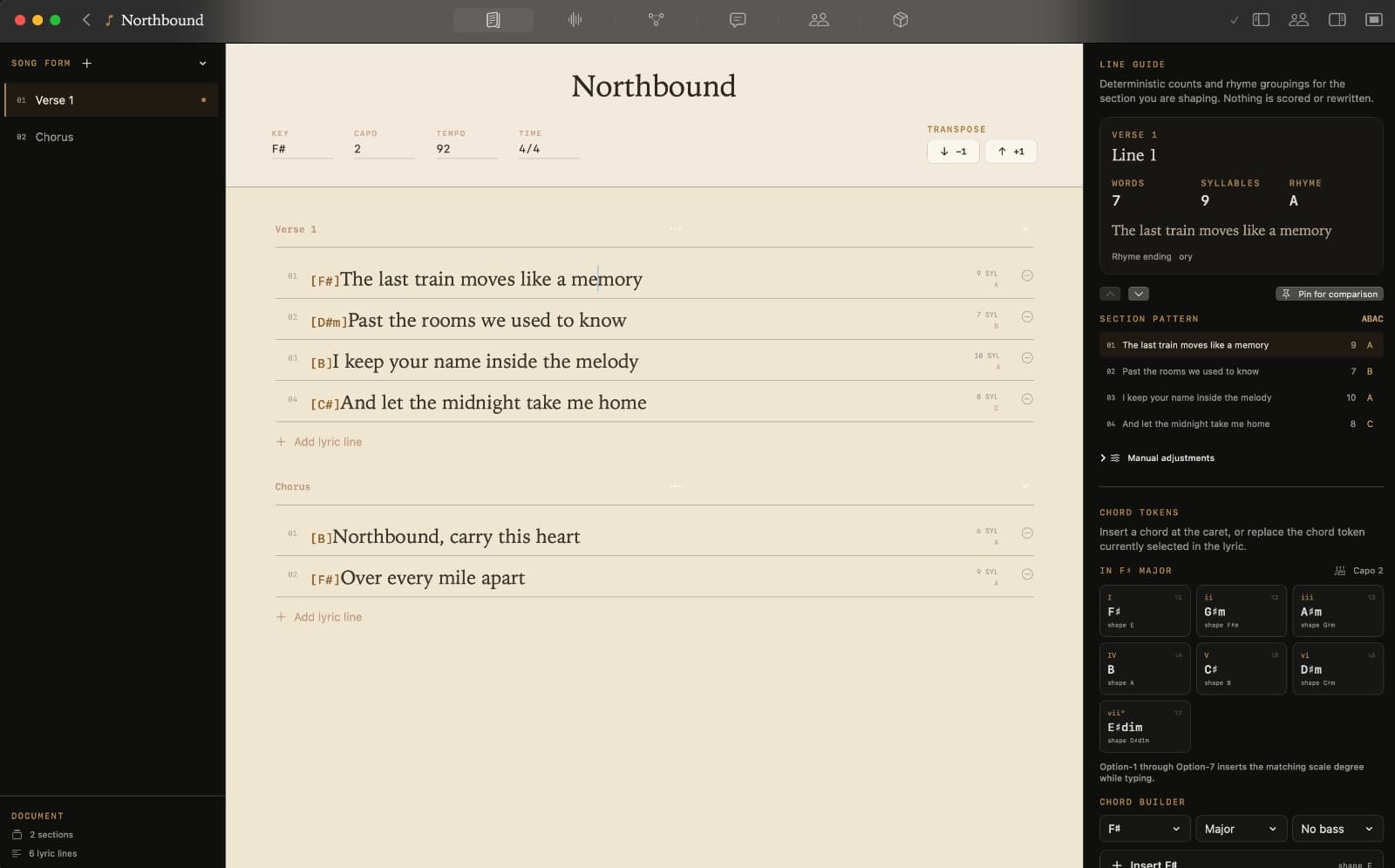
Write lyrics and chords in structured sections, with the song form and useful context still visible beside the line you are working on.
02 / 06 · Studio workflowKEY · TEMPO · SONG FORM
Give the song enough shape to move.
Add key, capo, tempo, time and song notes when they become useful. Structure supports the writing; it never replaces it.
03 / 06 · Studio workflow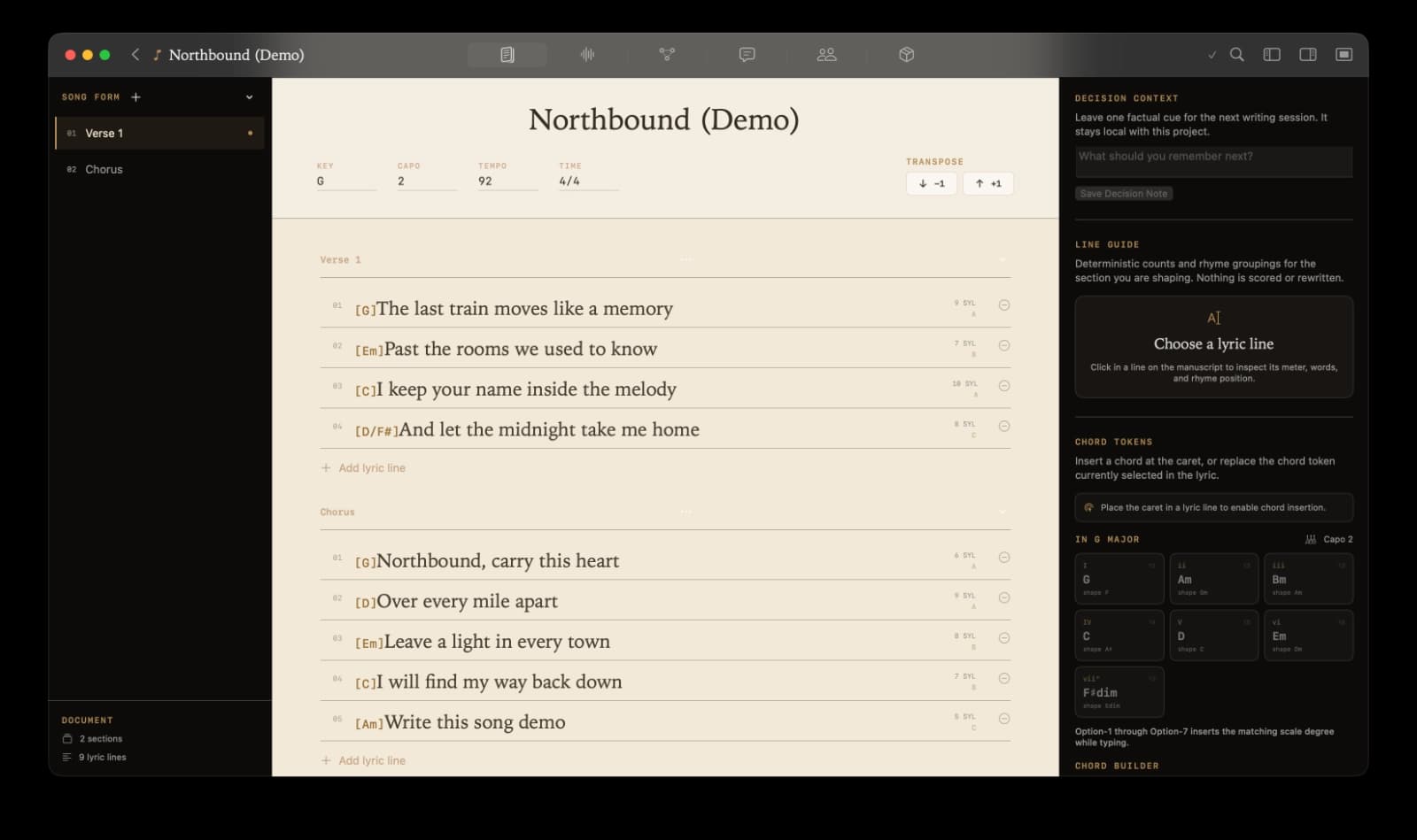
VERSIONS · COMPARE · RESTORE
Try another version. Keep the one you loved.
Name meaningful moments, compare them and restore an earlier idea without deleting the draft you are currently exploring.
04 / 06 · Studio workflow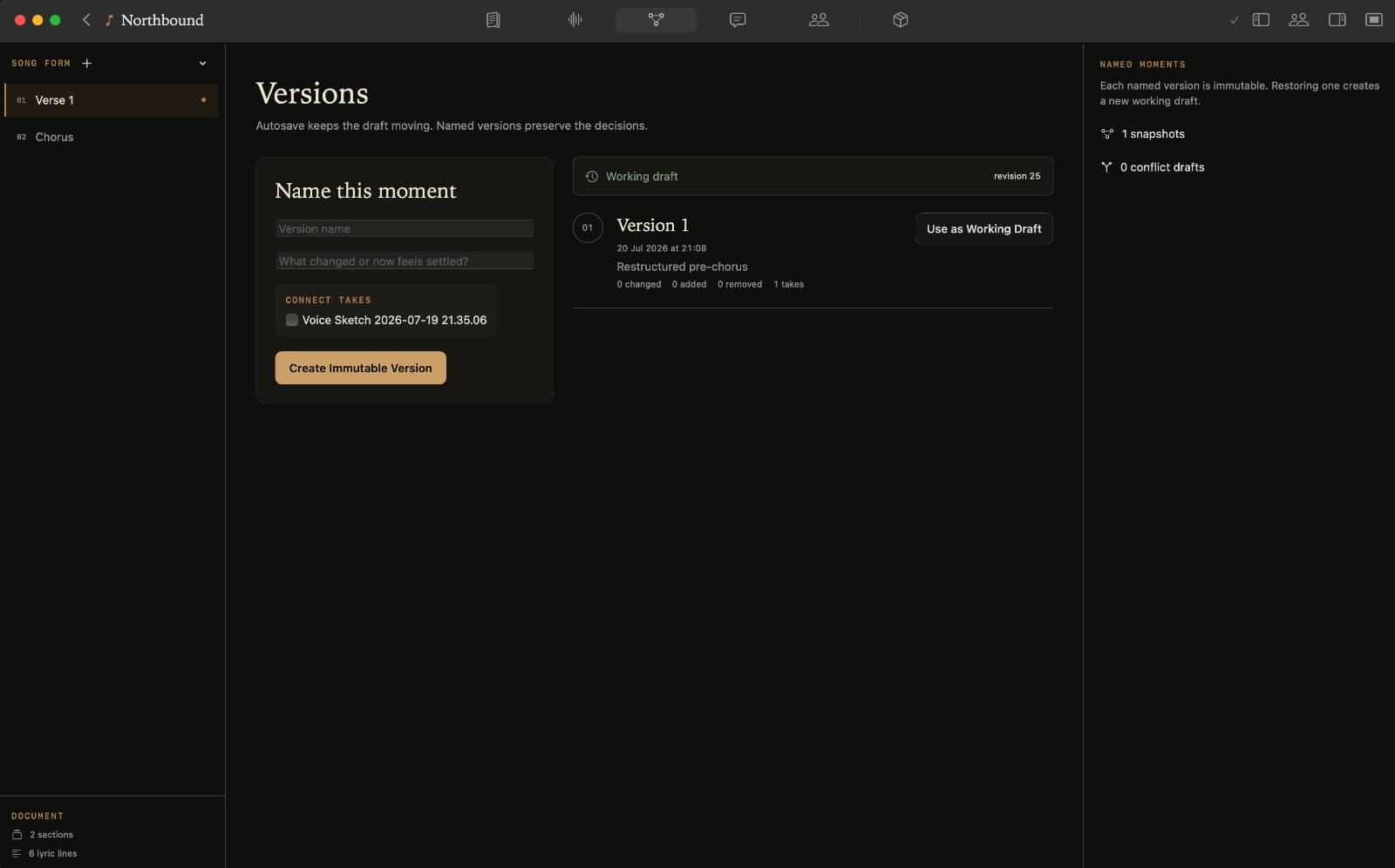
CREDITS · ROLES · DECISIONS
Keep the working record clear.
Attach contributors, roles, split proposals and decisions to the local project so the context travels with the song.
05 / 06 · Studio workflow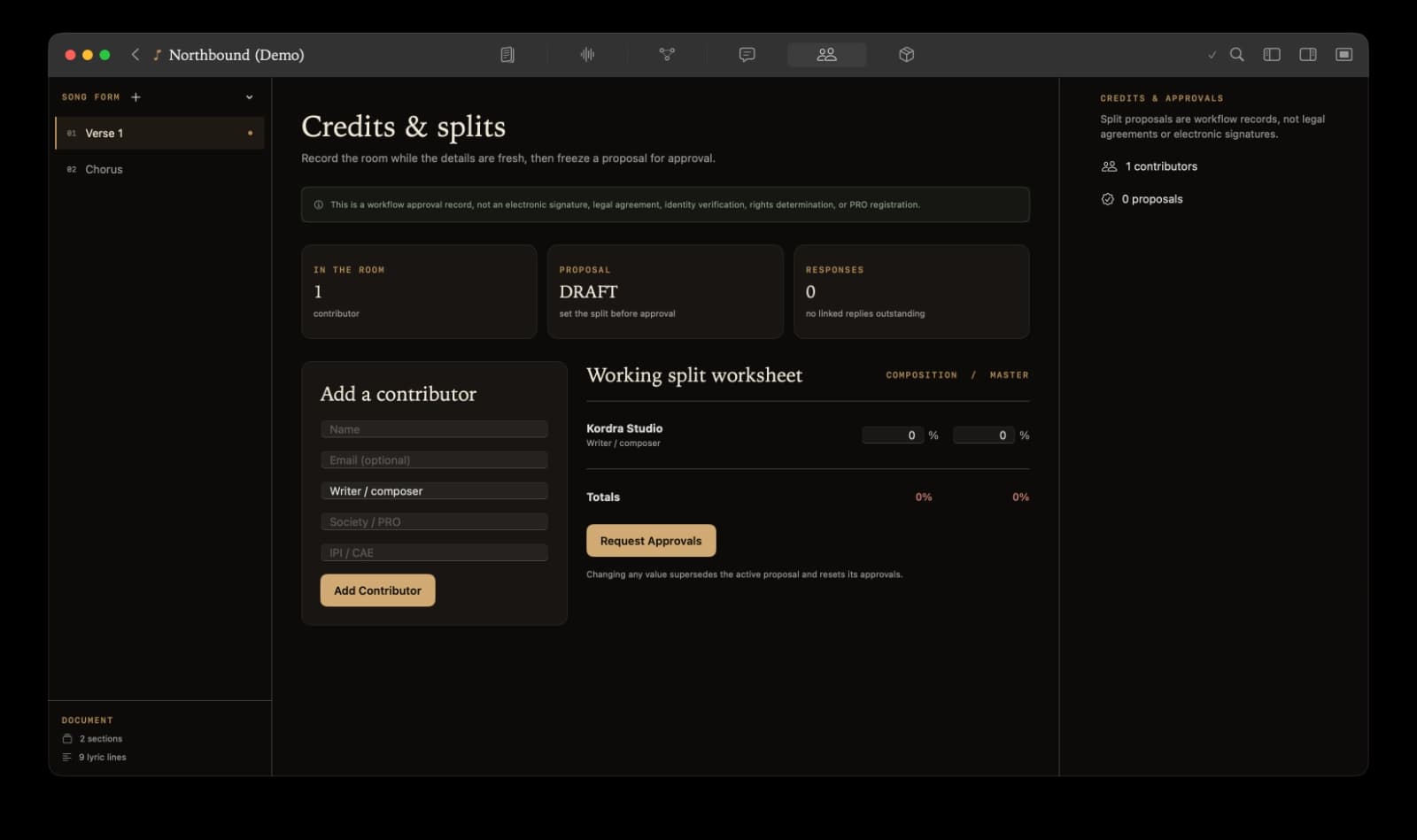
HANDOFF · FORMATS · ORIGINALS
Send the song forward cleanly.
Choose the format the next person or tool needs, while keeping the original project and its history on your Mac.
06 / 06 · Studio workflow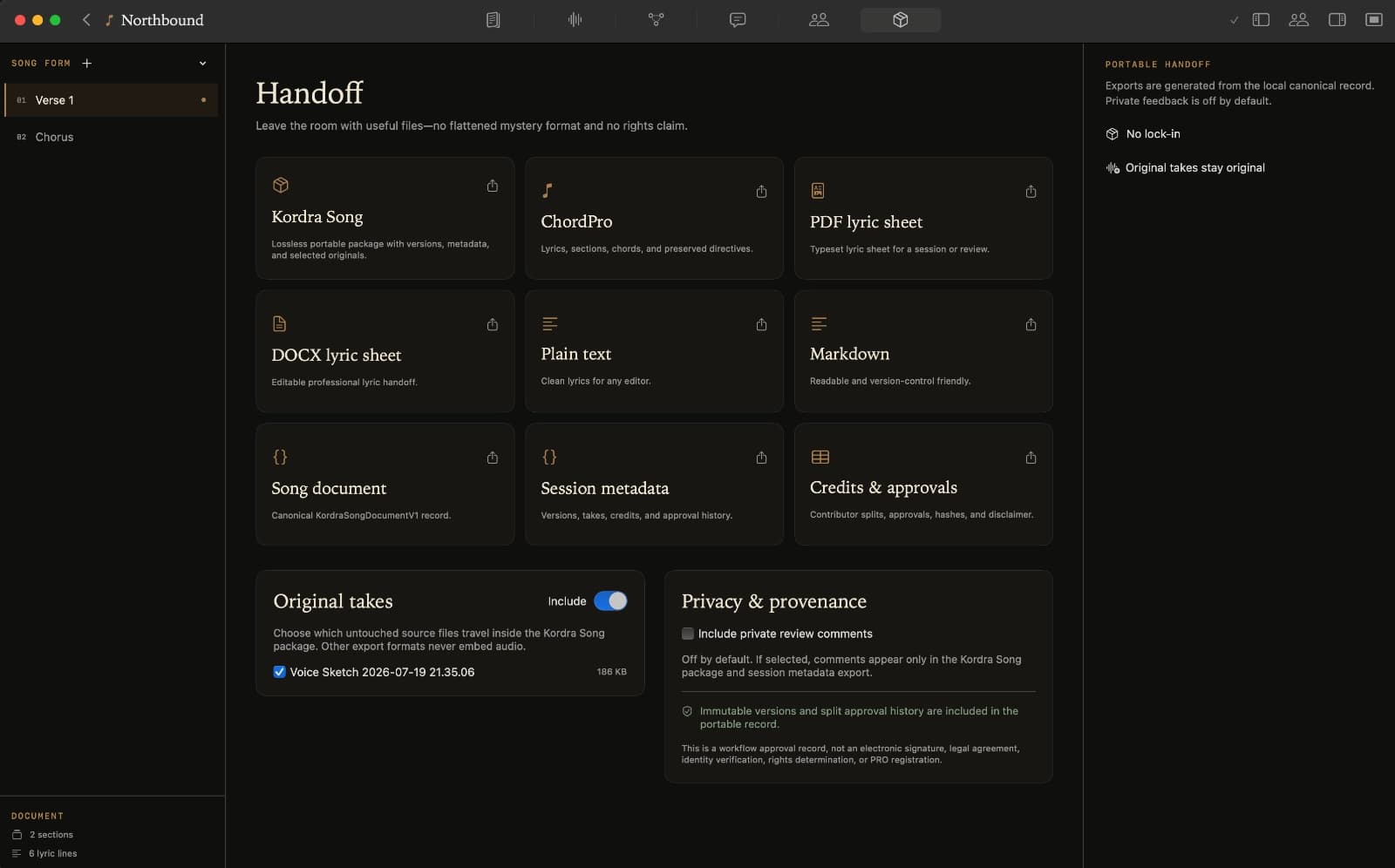
Try the other chorus
The old version
is still there.
A stronger line sometimes starts with a detour. Save a meaningful version, compare the changes and return to an earlier direction without losing your current draft.
- Name the moments worth keeping
- Compare lyrics and decisions
- Restore into a new working draft
Keep the sound of it
That take.
That feeling.
Record a sketch or import a voice memo. Mark the useful moment, loop the phrase and keep it beside the words it belongs to.
When you change a lyric, record or import another attempt to hear the new version. Studio keeps both, so you can decide what works.
Local first. Human led.
Your Mac.
Your songs.
Your pace.
- Open the app. Start writing.
- No account, sign-in or connection needed for your local work.
- Keep the original.
- Your project files live on your Mac. You choose when and where to export them.
- The next line is yours.
- Tools for structure, lyrics, chords and organisation. No generative AI in the writing process.
- Buy it once.
- £14.99 UK · $14.99 US · one-time Mac App Store purchase. EU availability awaiting validation.
Ready for the next room
Let the song
travel.
Prepare a lyric sheet for rehearsal, a producer pack for the session or an archive for yourself. Credits, contributors and selected originals can travel with the work.
Availability
Available in the US and UK.
EU availability awaiting validation.
- Price & access
- £14.99 UK · $14.99 US · one-time Mac App Store purchase.
- Compatibility
- Apple silicon; macOS 15 or later.
FAQ
Questions about the writing room?
Answers about local storage, exports and where Studio sits beside Kordra Music.
What is Kordra Studio?
Kordra Studio is a native macOS songwriting workspace. It gives a song one persistent place to live: lyrics, versions, notes, structure, credits and handoff, from the first idea to the finished lyric sheet.
Does Kordra Studio require an account?
No. Creating, opening, editing, recording, versioning and exporting local work do not require an account, sign-in or cloud service.
Which Macs does Kordra Studio support?
Kordra Studio runs on Apple silicon Macs with macOS 15 or later.
Does Kordra Studio work offline?
Yes. Studio is local-first: creating, opening, editing, recording, versioning and exporting local work all work offline without an account.
Where are my songs stored?
Your songs are kept in project files on your Mac. You choose when to export or share them.
Can I import existing lyrics?
Yes. Paste lyrics you have already written into a song workspace, or drop them into Quick Capture while the idea is fresh.
Can I use voice memos?
Yes. Record a sketch in Quick Capture or import audio into Takes. Voice memos become song takes with a waveform, markers and loop regions.
Can I collaborate with other songwriters?
Studio keeps contributors, roles, shares and approval history inside the local project. It does not provide shared review links or co-writer invites.
What can I export?
ChordPro, plain text, Markdown, JSON, PDF, DOCX and credits CSV, plus intent-led presets for a session lyric sheet, local review pack, producer pack and archive record. A checksum-protected Kordra Song package carries selected originals when you want them to travel.
How is Kordra Studio different from Kordra Music?
Kordra Music is a web workspace for planning and pre-production around AI-assisted song generation, for music makers who want AI in the workflow. Kordra Studio is a native macOS writing room with no generative AI in the process, for songwriters who want the writing to stay human. They are sibling products with different jobs.