01 / Kordra Capture

Coming soon to the App Store

Song ideas, captured anywhere.

A free, local-first pocket companion for the lyric, chord or voice idea that arrives away from the writing room.

Free on iPhone · no account or subscription. Kordra Studio for Mac is sold separately.
  • IPHONE
  • LOCAL FIRST
  • FREE
  • WORKS OFFLINE
FIELD NOTES / 001IPHONE / LOCAL
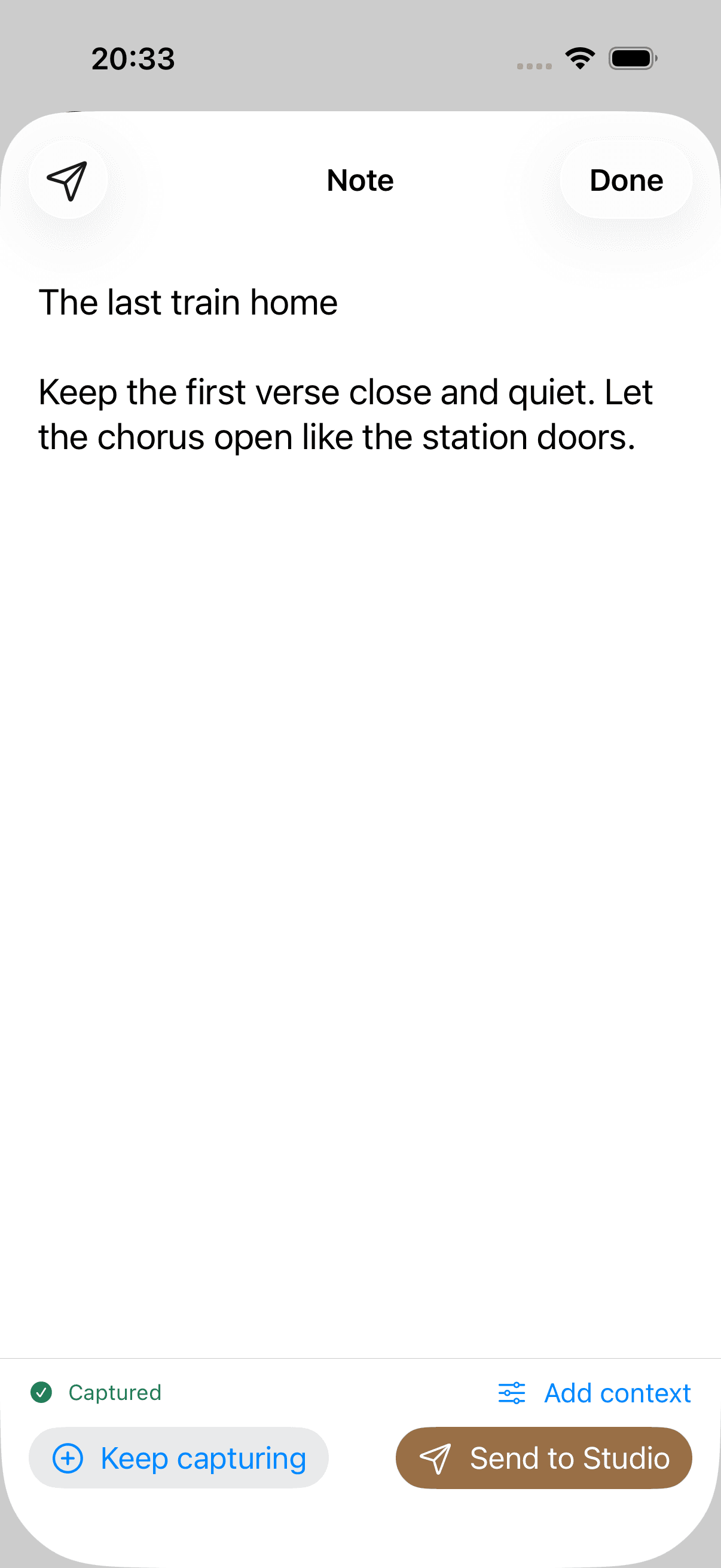
Kordra Capture text idea saved on iPhone
01 / CaptureA lineSaved locally
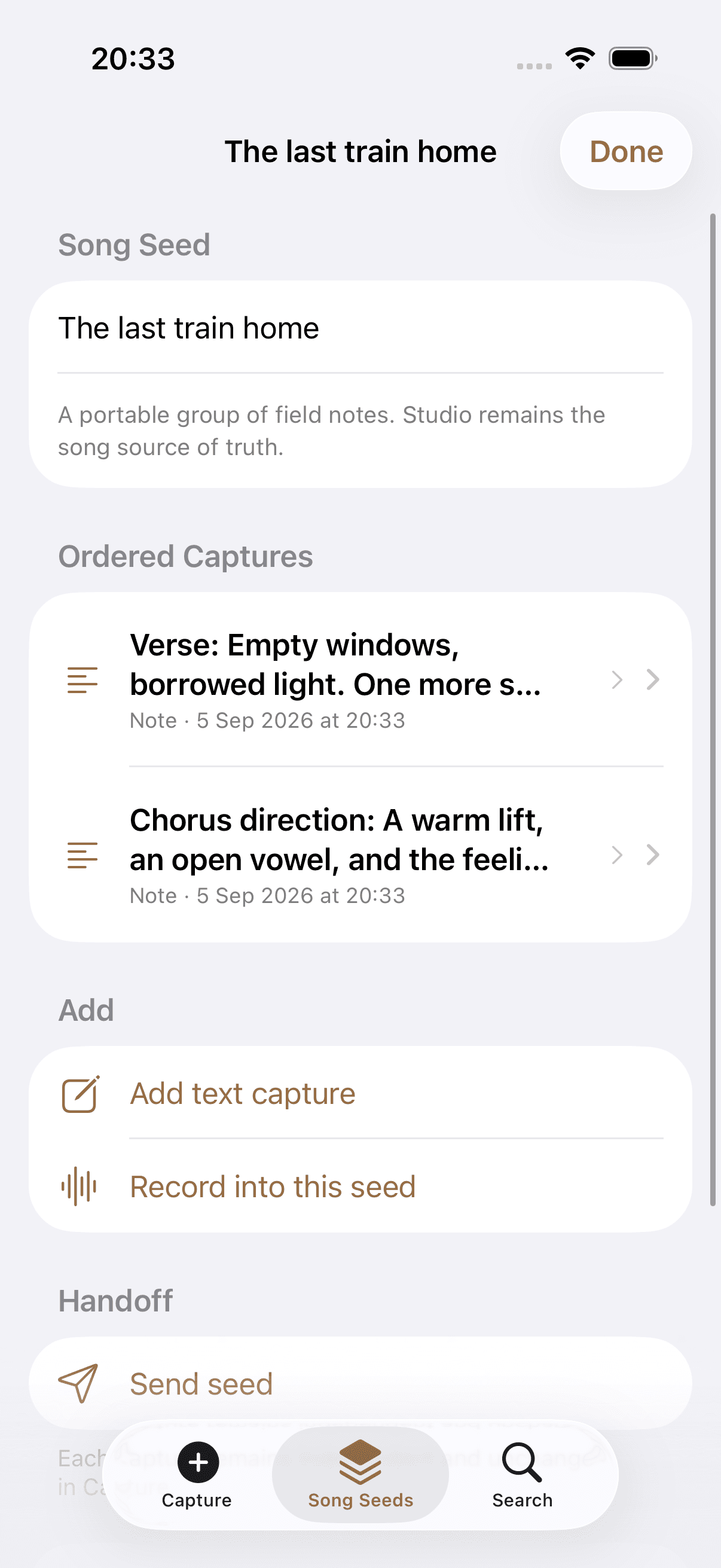
Kordra Capture Song Seed grouping related ideas
02 / ContextA threadKept in order
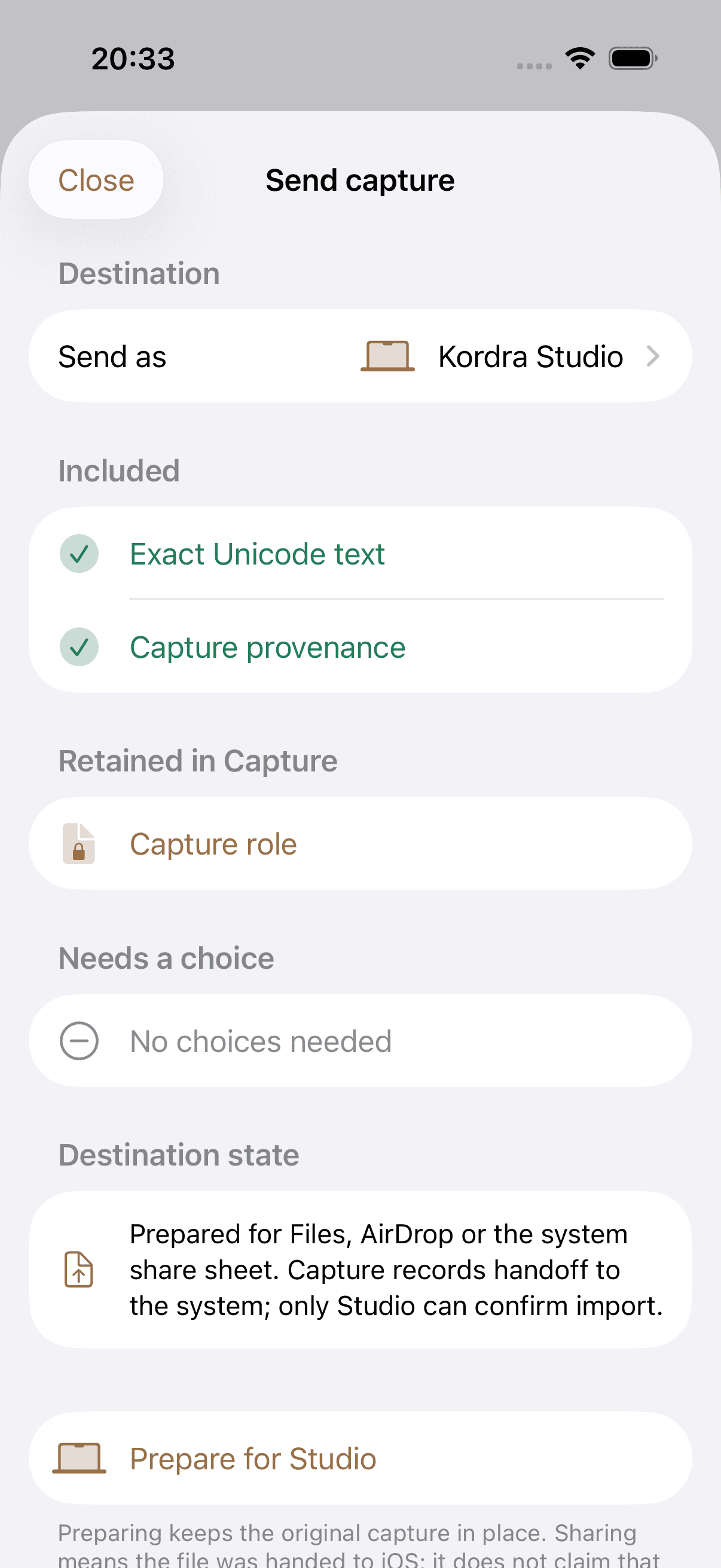
Kordra Capture handoff preflight for Studio
03 / HandoffA choicePrepared clearly

02 / The moment

A song rarely waits for the writing room.

A phrase turns up on the train. A melody appears on a walk. A chord change works while the Mac is somewhere else.

Capture gives that unfinished thought a quiet place to land. Save the useful part now, then decide what it belongs to when there is time.

HEARDCAUGHTSTILL YOURS

03 / The workflow

Enough structure to keep the idea useful.

Capture stays quick at the start and specific at the handoff. Context is available, never compulsory.

01

TEXT · VOICE · MULTIPLE TAKES

Capture first. Decide later.

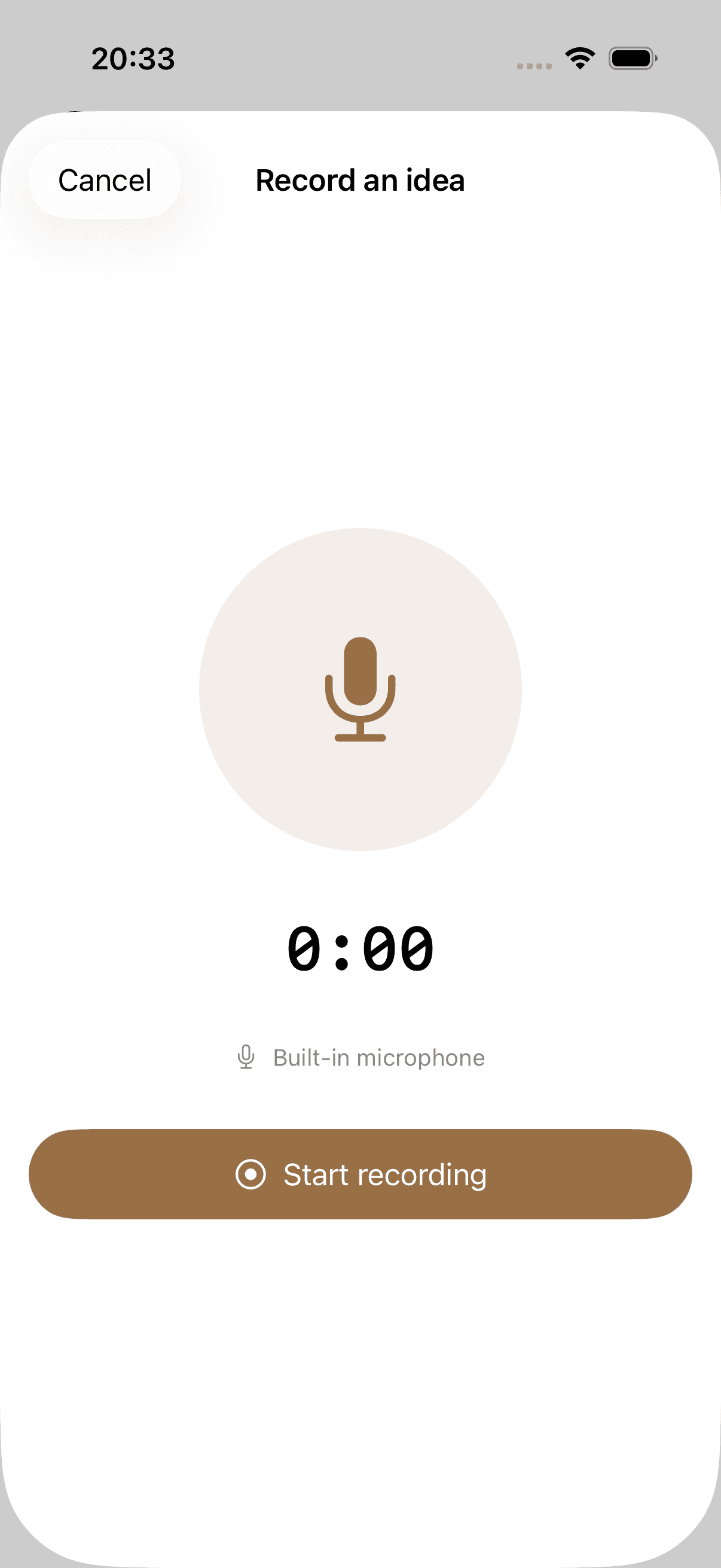
Save the line as text or record the sound of it. Keep capturing while the idea is moving, with more than one voice take when a single pass is not enough.

Kordra Capture text idea with a saved status, optional context and Studio handoff controls
Capture / first thoughtThe line is safe.Save it, add context or keep moving.
02

TITLE · TAGS · SONG SEEDS

Add only the context that helps.

Give an idea a title, tags, role, section, mood, key, tempo or chords when they are useful. Related fragments can sit together in a lightweight Song Seed, still in the order you caught them.

Kordra Capture Song Seed named Borrowed Time with an ordered capture and controls to add text or record
Song Seed / Borrowed TimeRelated, not over-organised.A portable group of field notes, not a full song project.
03

REVIEW · PREPARE · SHARE

Know what is leaving the phone.

Before a handoff, Capture shows what is included, what stays in Capture and anything that still needs your choice. The original remains on your iPhone while iOS handles the destination.

Kordra Capture Studio handoff screen showing included content, retained originals, choices and destination state
Handoff / preflightNothing leaves by accident.Inspect the package before handing it to the system.

04 / Local first

Your pocket notebook should feel like yours.

No account, no subscription and no cloud service between you and the thought. Capture keeps its core work on the iPhone and works offline.

  1. 01
    On your iPhoneCaptures, context and Song Seeds are stored locally.
  2. 02
    Ready offlineCapture text and voice ideas without an account or connection.
  3. 03
    Originals stay originalRecording, export and handoff do not rewrite the source audio.
  4. 04
    Recently DeletedDeleted captures remain recoverable on the device for up to 30 days.
Kordra Capture handoff preflight listing included content, retained originals, choices and destination state
Capture / handoff preflightA visible boundary.Review first, then choose the destination in iOS.

05 / Capture to Studio

A doorway to Studio, not an invisible transfer.

When a fragment is ready for more room, Capture prepares it for Kordra Studio. You can inspect the handoff before iOS takes over.

Included
The text, audio and context you selected.
Retained
The original Capture stays on your iPhone.
Your choice
Files, AirDrop or another available iOS destination.
Explore Kordra Studio

06 / The Kordra family

Three products. Three clear jobs.

Capture and Studio work closely together. Music remains a separate web workspace for planning AI-assisted song projects.

  1. 01CaptureCatch the first fragment on iPhone.
  2. 02StudioDevelop the song in a native Mac writing room.Explore Studio →
  3. 03MusicPlan and review AI-assisted music projects on the web.Explore Music →

07 / Common questions

The practical details, clearly answered.

Availability, price, local storage and the relationship between Capture and Studio.

What is Kordra Capture?

Kordra Capture is a native iPhone app for saving a lyric, chord, note or voice idea while it is still fresh. It is the pocket companion to Kordra Studio, but it also works as a focused capture app on its own.

When will Kordra Capture be available?

Kordra Capture is coming soon to the App Store. There is no public release date yet. Subscribe to company updates and we will share availability news when it is ready.

How much will Kordra Capture cost?

Kordra Capture will be free to download. The core app has no account, subscription or in-app purchase.

Does Capture work offline?

Yes. Text, voice ideas, songwriting context and Song Seeds are stored locally on your iPhone and remain available offline.

What can I add to an idea?

Context is optional. Add a title, tags, type, section, mood, key, tempo or chords when those details help. You can also add more than one voice take to the same capture.

What is a Song Seed?

A Song Seed is a lightweight, ordered group of related captures. It keeps a small run of lyrics, notes and recordings together without asking you to turn them into a full song project.

Do I need Kordra Studio?

No. You can keep, search and export your captures without Studio. When an idea is ready for a writing room, Kordra Studio is the Mac app designed to develop it further.

How does a Capture leave the iPhone?

You choose when to export or share. Capture prepares the selected text and audio, keeps the original on your iPhone, and hands the files to iOS for a destination such as Files, AirDrop or another app you select.

Coming soon to the App Store

08 / Availability

Keep the next idea close.

Kordra Capture is free, local-first and coming soon to iPhone.