
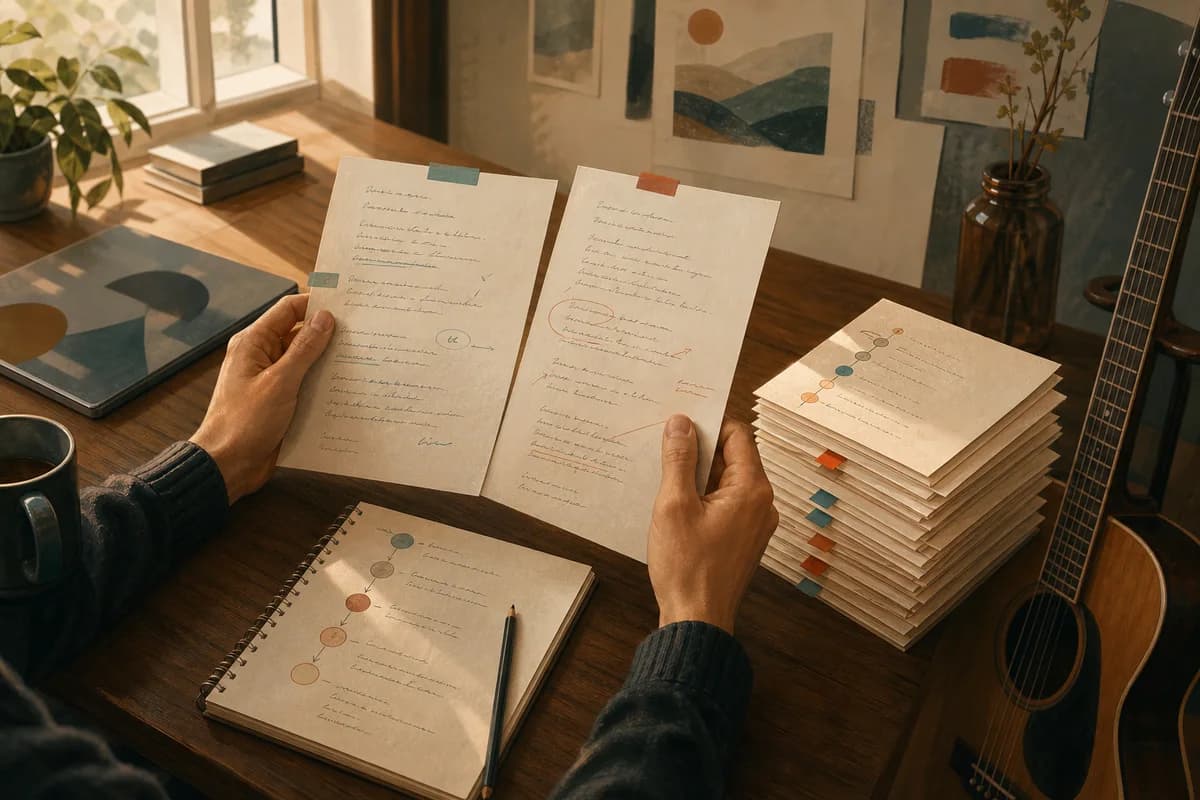
Songwriting version control is simple: keep named snapshots, write down the decision behind each one and make revisions reversible. That gives you room to experiment without losing the line, lyric or arrangement that first made the song worth returning to.
You do not need a complicated production system. You need a clear answer to three questions: which draft am I looking at, what changed, and what should I decide next?
What version control means in songwriting
A song changes in layers. The lyric may become more precise, the chorus may move, the vocal may soften or the production may open out. Version control keeps those changes visible so you can learn from them instead of treating every rewrite as a new beginning.
Keep snapshots, not copies
A snapshot is a meaningful state of the song: the lyric and structure as they were when you made a decision. It is different from saving a file every few minutes. Create a version when the song has a new shape, a different point of view or a reviewable change.
Add the decision that changed
A useful version name explains the move: “v2 — shorter verse”, “v3 — chorus opens later” or “v4 — close vocal”. The note does not need to defend the choice. It only needs to help future-you understand what to listen for.
Set a naming system you will actually use
The best naming system is the one you will still use when you are tired. Keep it short, consistent and visible beside the draft. Avoid names such as “final”, “final new” and “final really final”; they describe hope, not state.
Name by stage and decision
Use a simple pattern: version number, decision, optional status. For example: “v1 — capture”, “v2 — lyric pass”, “v3 — structure”, “v4 — review”. If a render or handoff matters, add that as a separate note rather than hiding it in a filename.
Keep one working draft
Choose one version as the current working draft and keep earlier snapshots available. This prevents parallel copies from quietly becoming different songs. When you start a new pass, say which snapshot it came from.
Make revisions reversible
Reversibility changes how boldly you write. You can try a quieter bridge or a stranger image when you know the earlier version is safe. The point is not to preserve every accidental word forever; it is to preserve the decisions that taught you something.
Change one layer at a time
When the song feels stuck, choose the smallest useful experiment. Change the chorus wording without changing the structure, or change the vocal direction without rewriting the lyric. One clear change gives you evidence; ten changes give you another mystery.
Compare before you commit
Read or listen to the previous snapshot and the new one with the same question. Is the hook clearer? Does the verse earn the chorus? Did the new production direction create space or simply add volume? Keep the answer with the version.
Write a short review note
A review note is not a verdict. It is a handrail for the next session. Keep it to a few lines so it remains honest and easy to scan.
Record what works
Name the part you want to protect: a phrase, a melodic turn, the gap before the chorus or the tone of the vocal. Positive detail stops revision from becoming an endless search for defects.
Record what needs a decision
Write one open question rather than a list of anxieties: “Does the bridge need a new image?” or “Should the final chorus stay restrained?” A question gives the next session a job and makes it easier to stop when the job is done.
A simple versioned workflow
Start with a capture snapshot when the idea is still rough. Choose the part that deserves attention, then create a new version before revising. After the pass, write a short review and mark the snapshot as working, parked or ready for handoff.
If you return after a week, read the latest note before opening the lyric. You will remember the intention faster than you will remember the file name. If the song needs a different direction, branch from the last useful snapshot rather than deleting the path that got you there.
The AI songwriting workflow guide shows how briefing, structure, lyrics, review and handoff connect. The project organisation guide is useful when prompts, lyrics and renders are beginning to spread across too many places.
Keep Studio and Music roles clear
Version control belongs to both human writing and AI-assisted planning, but the products have different jobs. Kordra Studio is the separate native macOS writing workspace in development for a human-authored song process. Its current product material describes named versions, decision notes and compare/restore behaviour; do not treat it as the AI planning workspace.
For a project that needs planning, review and handoff around Suno or Udio, Kordra Music is the available web workspace for AI-assisted work. Keep the creative decision visible in the brief, whichever product holds the next step.
The Blueprint library can also give a structure-led project a clear starting point before you create another snapshot.
The practical takeaway
Name the draft, record the decision, keep the earlier snapshot and ask one review question. Songwriting version control is not about turning creativity into administration; it is a way to protect the thread while the song changes.