
When you return to a song on Mac, keep the current lyric, its chord context and the rough take you are judging close together. That makes it easier to see what changed and hear what still needs attention. The useful outcome is not a crowded project: it is one clear next decision.
Start with the version you mean
Before editing, identify the lyric you currently trust and the recording that belongs with it. If you have several drafts, give the working version a clear name or save a version before changing it. You want to know which words you are hearing, not reconstruct that later from memory.
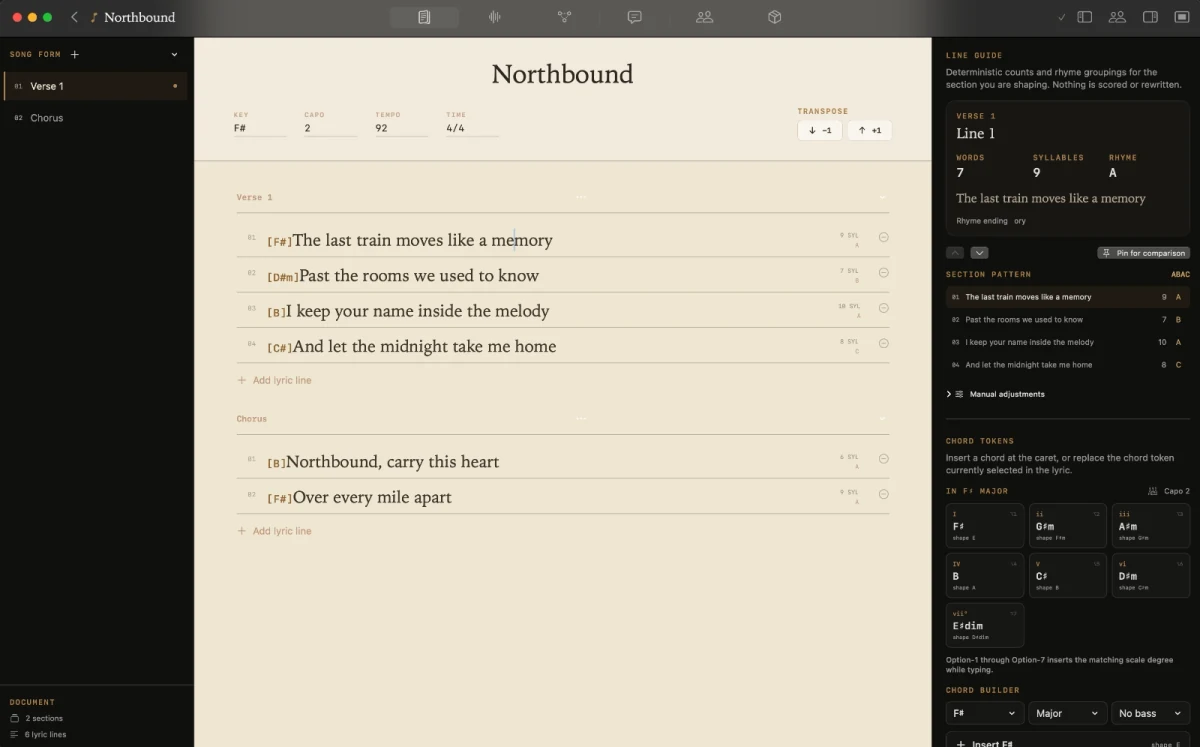
Kordra Studio is a native Mac writing room that keeps lyrics, chords, song form and takes with a song. Its writing workspace keeps sections and chord context visible beside the lyric, while Takes can hold a recording or imported voice memo. These are separate views of one local project, not a promise of shared cloud access or a multi-track production system.
Bring the chord context into view
Chords are useful when they help you make a writing decision. Add or check them where the harmony changes the feeling, stresses a word or gives a line somewhere to land. You do not need to annotate every possible detail before continuing.
For example, imagine a song called “Window Seat” with a chorus moving through Am–F–C–G. You are considering whether the last line should settle on the final chord or leave a little tension. Treat that as an illustrative exercise, not a result observed in Studio: mark the line you are unsure about, keep the surrounding words visible, and decide what you want the next performance to test.
Listen beside the lyric
A rough take can answer a question that the page cannot. Does the important word arrive clearly? Is the phrase comfortable to sing? Does the last line feel resolved, or does the performance make you want to keep listening? Choose one question before you replay the section.
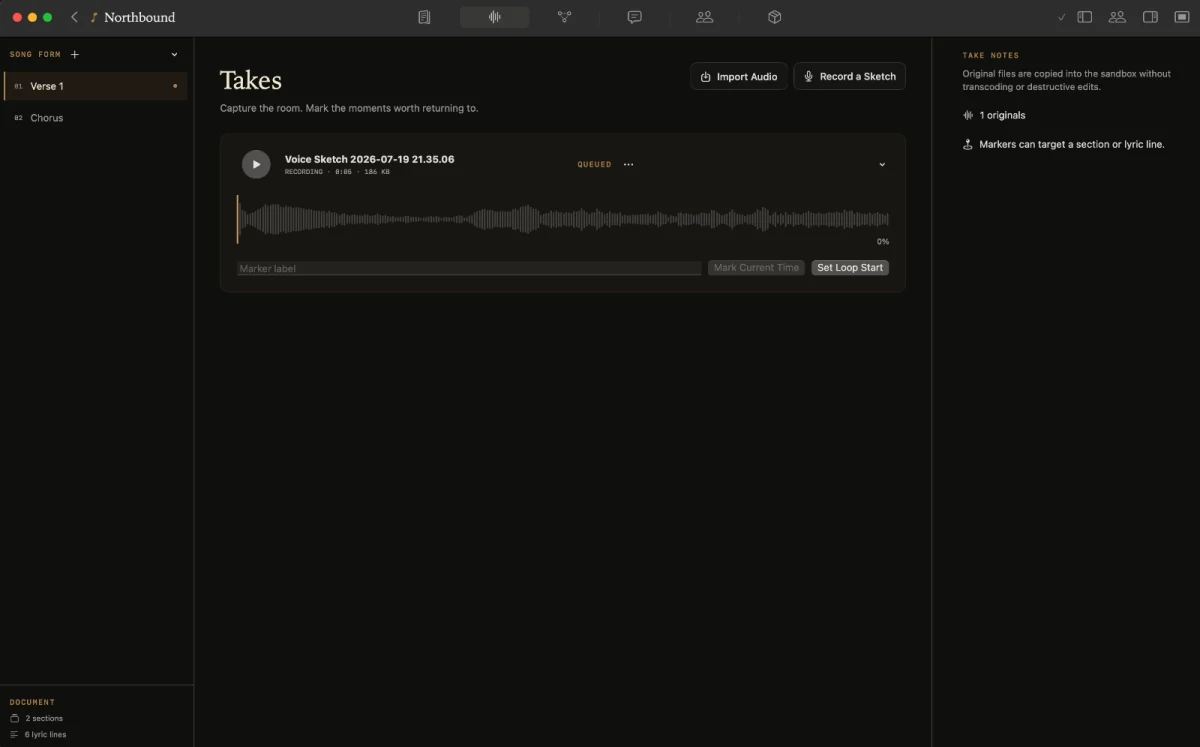
In Studio’s Takes workspace, you can record a sketch or import a voice memo, then mark and loop a useful moment. That gives you a way back to the same phrase without treating the recording as a finished mix. The screenshot below shows the actual Takes workspace; it is product evidence, while the “Window Seat” example above is invented for this article.
Make one change, then hear it
If a lyric edit changes the stress or length of a phrase, the existing recording will not change with it. Keep the old take as a reference, make the text revision, and record another attempt or import a new recording. Then listen to the same section and ask whether the change helped with the question you chose.
You might write a note such as: “Keep the first line; try a shorter final phrase and listen for the landing.” That is a useful direction, not a judgement that the song is finished. If the new take creates a different problem, record that observation and choose the next small test.
Keep the project focused
The point of keeping words, chords and a reference recording together is to preserve context, not to add administration. Save meaningful versions, keep notes short, and bring in only the audio you need to make the next songwriting decision. When you are ready to share material, choose an export for the person or session receiving it; do not assume that local work synchronises to another device or collaborator automatically.
Kordra Studio is designed for human-led writing on Mac, with local project files and no generative AI in the writing room. It does not turn a lyric edit into a new performance. If you want to hear revised words, you need to record or import another attempt.
For a practical handoff checklist, read what to send a producer before a songwriting session. To see the current writing room and Takes workflow, explore Kordra Studio.
A practical takeaway
Name the working lyric, keep its chord context nearby, choose one question for the reference take, then record or import another attempt after a meaningful lyric change. Leave the project with a short note describing the next thing you want to hear.