Kordra StudiomacOS
 Kordra Studio
A place for the
whole song.
Start with a line, a chord or a rough recording. Develop it into a song, keep the drafts worth returning to and prepare the files for your next session.
£14.99 UK · $14.99 US · one-time Mac App Store purchase.macOS 15 or later; Apple M1 or later.
- No account required
- Your songs stay on your Mac
- Works offline
- Human-led writing
Lyrics and chords, on the same page.
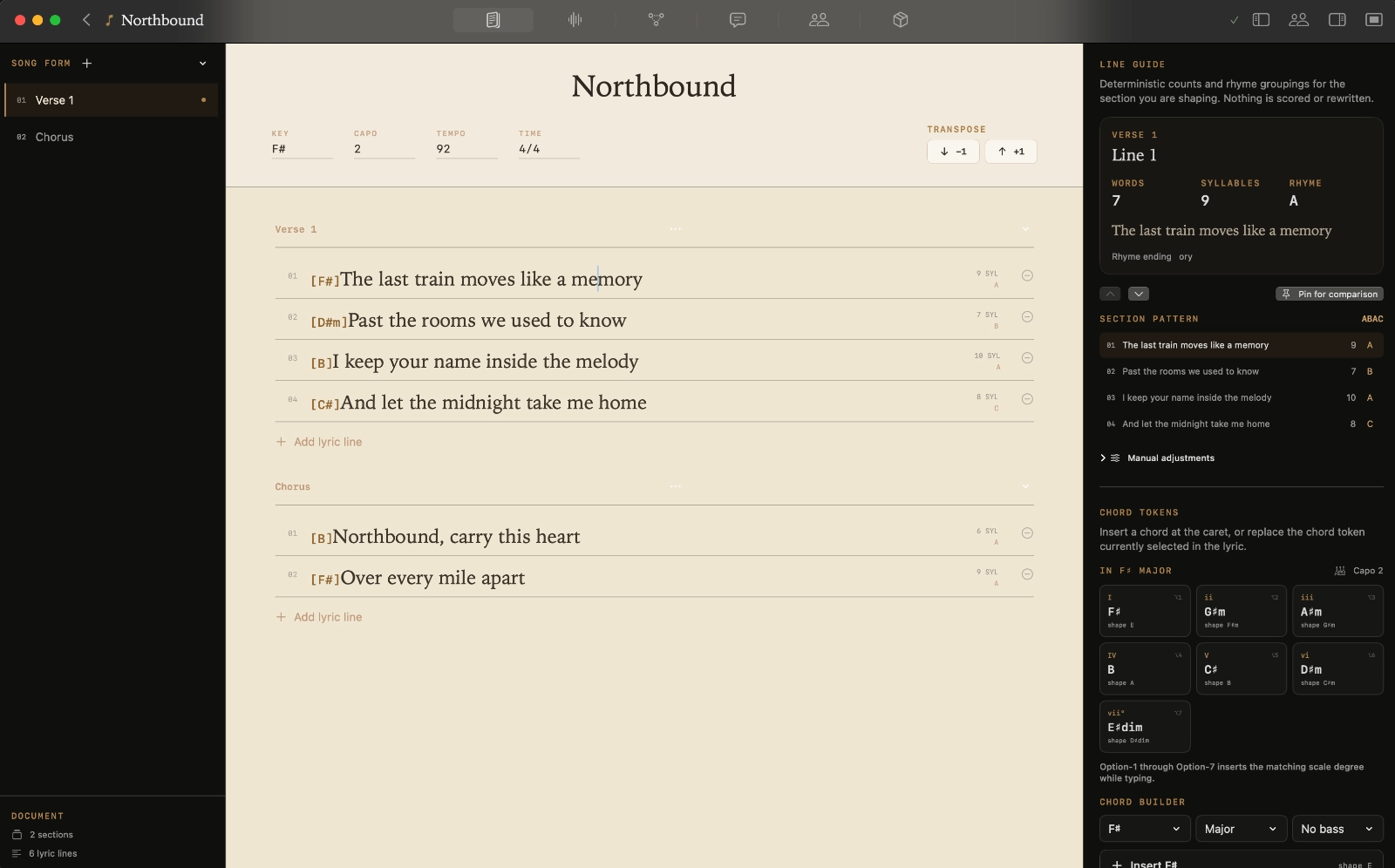
Start with a verse, a chorus or the line you cannot stop singing. Write in song sections, put chords beside the words and move the parts around as the song takes shape.
Keep the key, capo, tempo and your own notes close by. Come back to the song with the details you need to keep writing.
Keep the sound beside the words.
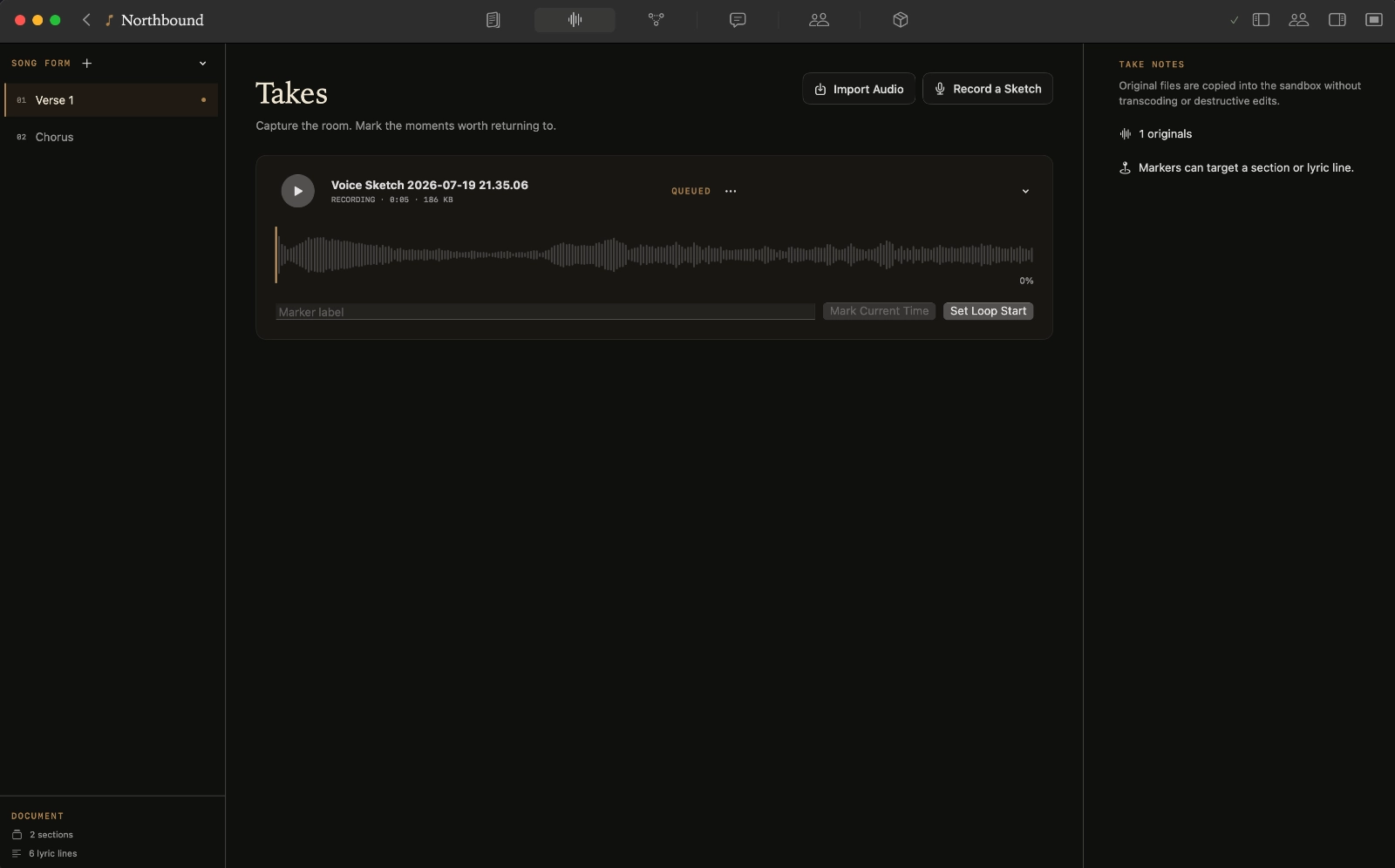
Record a rough take or bring in a voice memo. Mark the moment worth keeping and loop a phrase while you work out the next line.
When the melody or lyric changes, record another attempt. The earlier take stays with the song, ready to listen to again.
Try the other chorus. Keep this one.
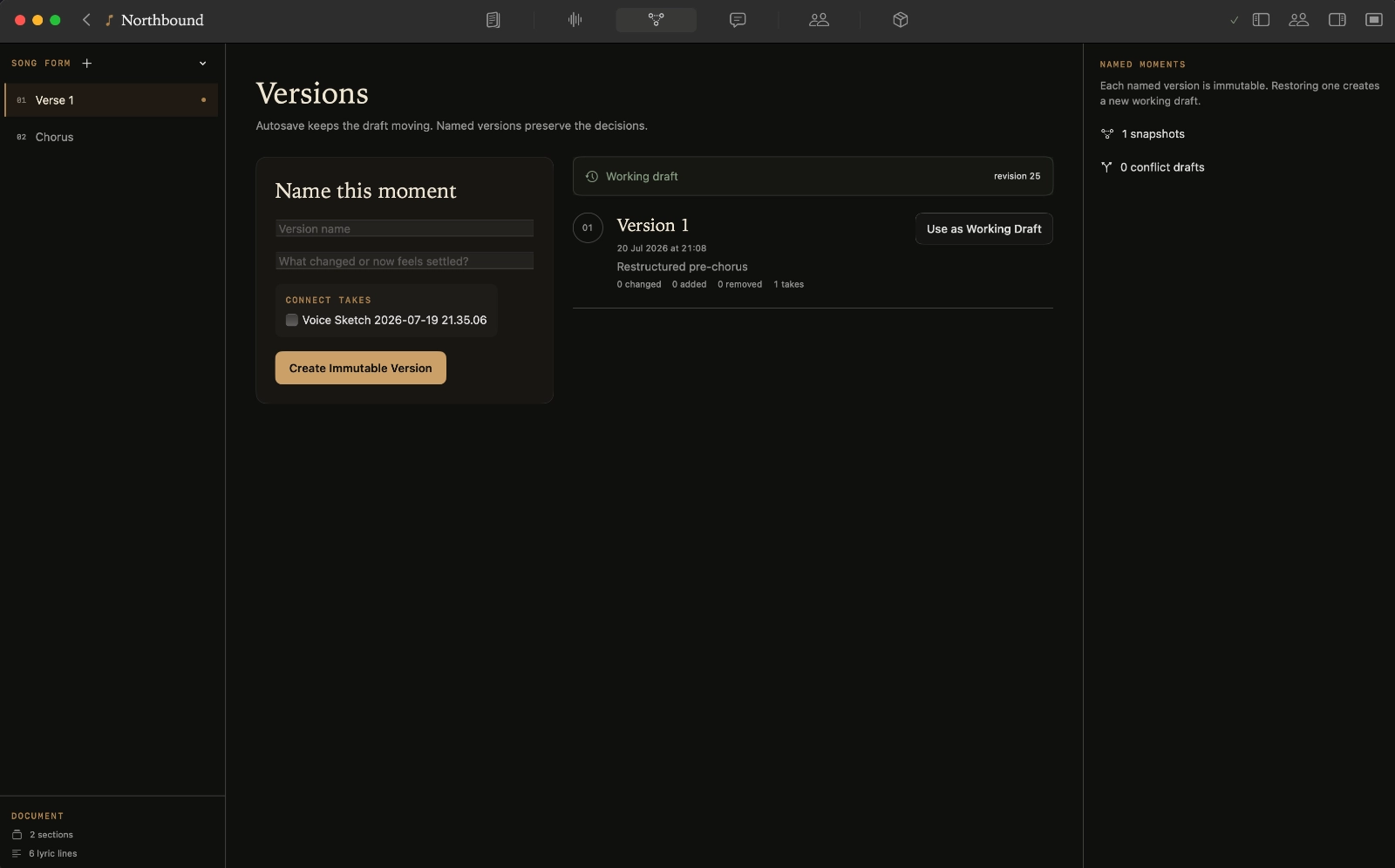
Save a version before you take the song in a different direction. Give it a name you will recognise, compare the changes and bring back an earlier idea when it works better.
- Name the drafts worth keeping
- See what changed between versions
- Restore an earlier idea into a new draft
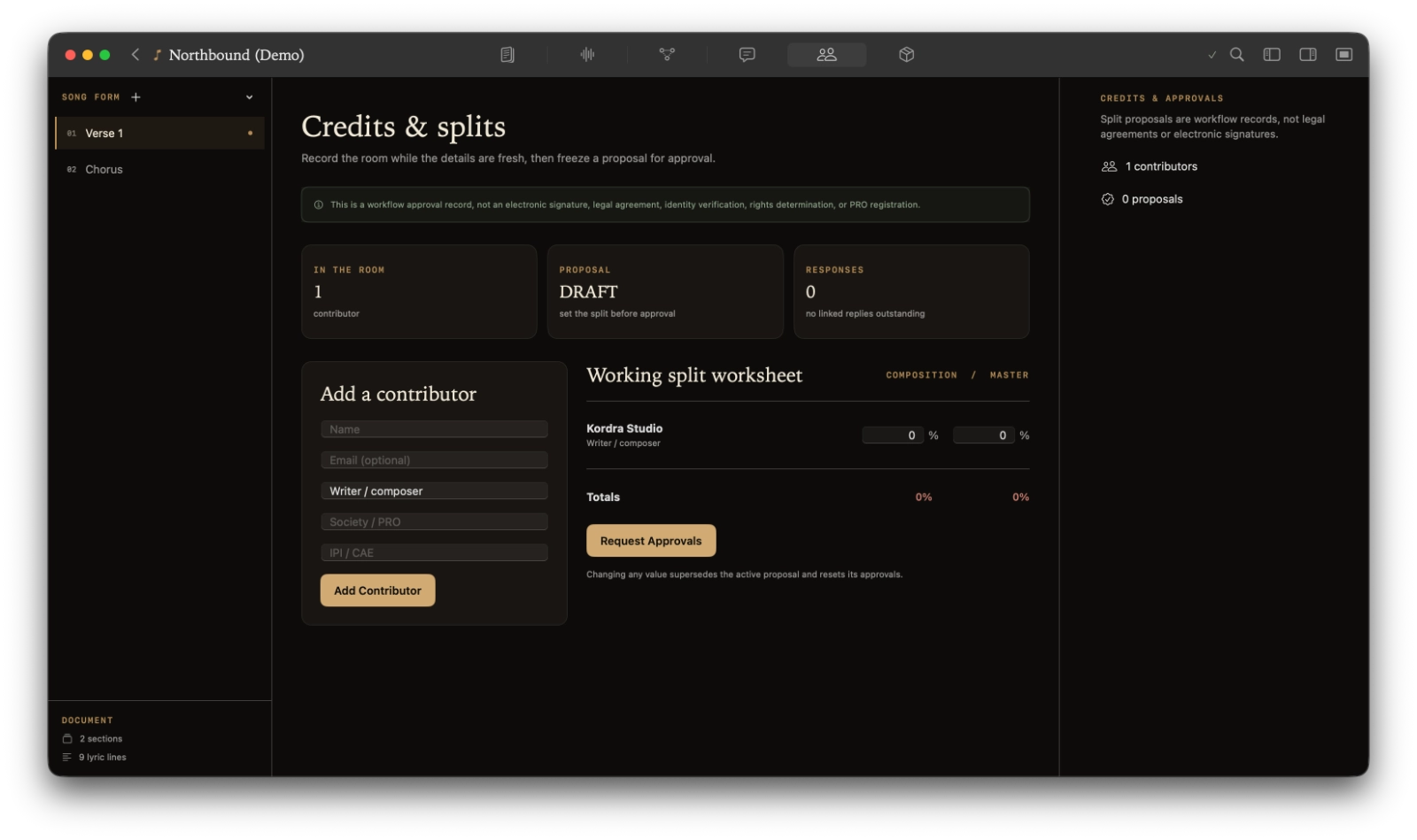
Remember who brought what.
Keep contributors, their roles and proposed song shares with the project. Add the decisions and approvals you want to refer back to.
When you prepare the song for someone else, the writing credits and the record of those decisions are already together.
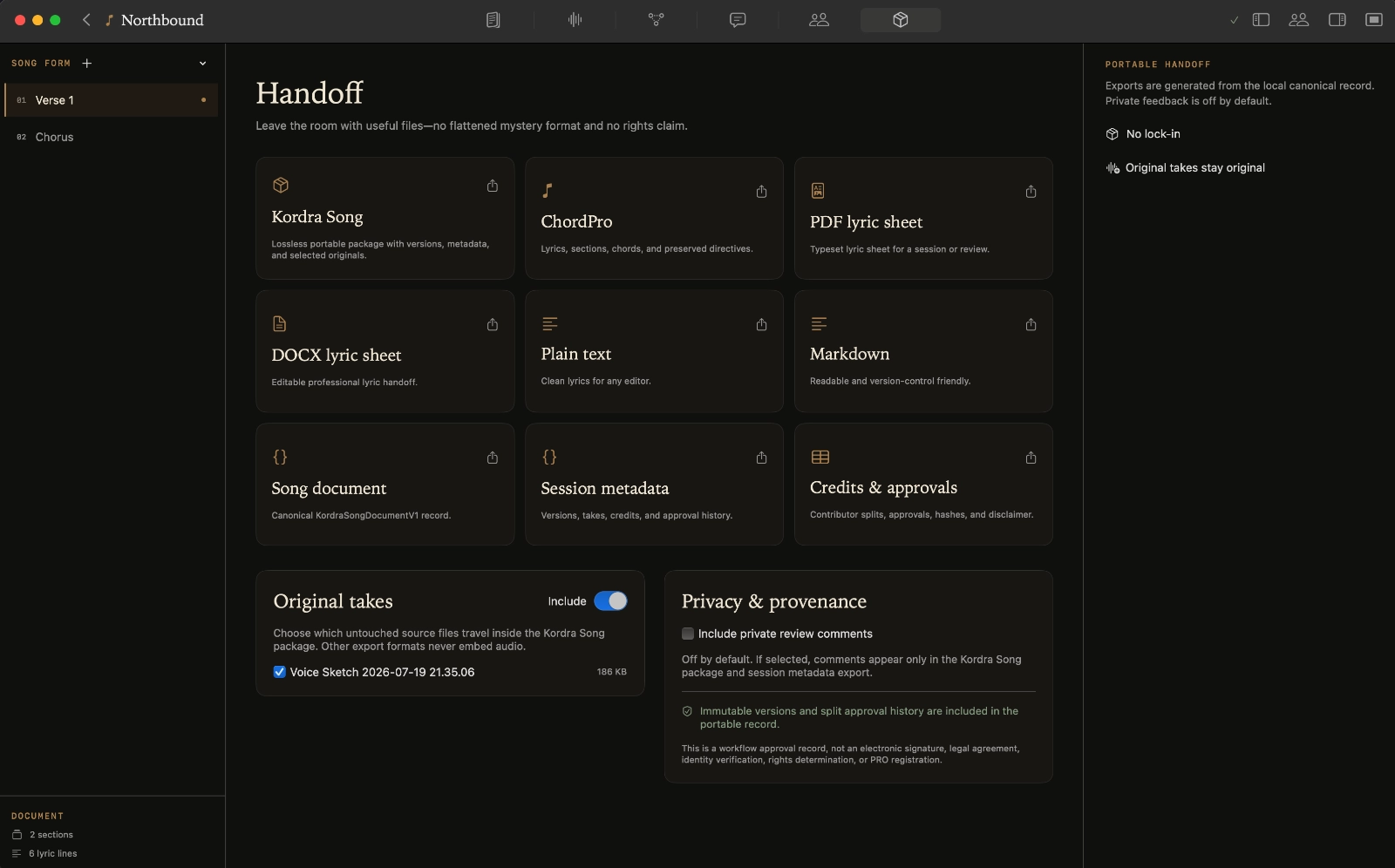
Take the song into the next session.
Print a lyric sheet for rehearsal, send a document to a co-writer or prepare a producer pack with the recordings they need.
Choose the files to include. Your original project and its earlier drafts stay on your Mac.
“With Studio I can see the value of documenting the song, the takes, versions and handoff very clearly. The Producer Pack itself was also well organised.”
Kordra CaptureiPhone
 Kordra Capture
The idea can start on your iPhone.
Save a line or sing a melody into Kordra Capture while you are away from the Mac. Group related ideas, then bring the ones you want to develop into Studio.
Review the selected text and audio, then share through Files or AirDrop. The originals stay on your iPhone.
Free on iPhone · no account or subscription.
Meet Studio’s free companion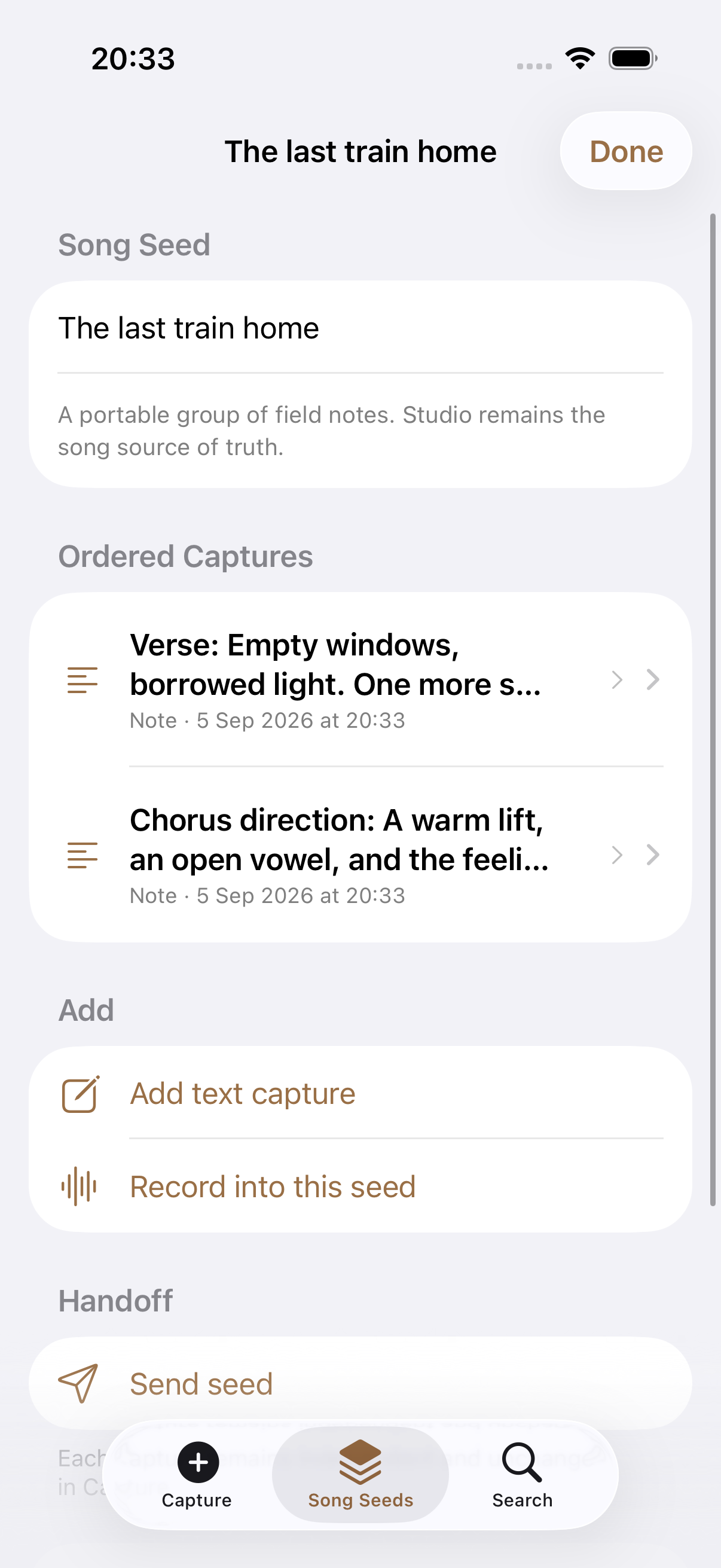
Your songs, on your Mac.
- Ready without a connection
- Write, record, compare drafts and export your local work offline.
- Open Studio and start
- No account or sign-in is needed. Your songs live in local project files.
- The writing is yours
- Studio gives you tools for lyrics, chords and organisation. There is no generative AI in the writing process.
Questions about Studio?
Mac requirements, buying Studio and working with your songs.
Which Macs can run Studio?
Studio runs on Macs with macOS 15 or later and Apple M1 or later.
Where can I buy Studio?
Visit the Mac App Store. Available in the US and UK. £14.99 UK · $14.99 US · one-time Mac App Store purchase.
Do I need an account?
No Kordra account is needed. You can create, edit, record, save versions and export songs on your Mac without signing in.
Can I work offline?
Yes. You can write, edit, record, save versions and export local songs offline. Your work stays in project files on your Mac.
How does Capture work with Studio?
The free Kordra Capture iPhone app saves text and voice ideas while you are away from your Mac. Choose what to share through Files or AirDrop, then bring those files into Studio. The apps do not sync automatically, and each works on its own.
What can I export?
Export a lyric sheet as PDF or DOCX, chorded lyrics as ChordPro, or your words as plain text or Markdown. You can also export credits as CSV, or share a Kordra Song package with selected original recordings. Choose what the next person needs for a writing session, review or production.
Where are my songs saved?
Local project files on your Mac. You choose when to export or share a song, and which files to include.
Can I import existing lyrics?
Yes. Paste lyrics you've already written into a song, or add them to Quick Capture to develop later.
Can I use voice memos?
Yes. Record an idea in Quick Capture or import a voice memo into Takes. Add markers and loop a section while you work on the song.
Can I work with co-writers?
Yes. Keep contributors, roles, agreed shares and approval history with the song, then export files for your co-writers. Studio doesn't offer live shared editing, review links or invitations to a shared project.
How is Studio different from Music?
Studio is a Mac writing app with no generative AI. Kordra Music is a separate web workspace for AI-assisted planning, writing and review before generation in tools such as Suno or Udio. You do not need Music to use Studio.
Make room for your next song.
£14.99 UK · $14.99 US · one-time Mac App Store purchase.
macOS 15 or later; Apple M1 or later. Available in the US and UK.